Logging in with Spotify using an existing application
If you already have an existing spotify location, you probably cannot make another one. Luckily, you can simply use your existing application! Follow the steps below to edit your application for using Track or Trash.
Step 1: Changing your Redirect URI
Start by selecting edit at the bottom of your application's page.
Scroll down, and add our redirect URI to your current ones: https://trackortrash.me
Redirect URI
Your redirect URI must be exactly https://trackortrash.me, or the app will not work!
Also ensure the Web API and Web Playback SDK are selected below. 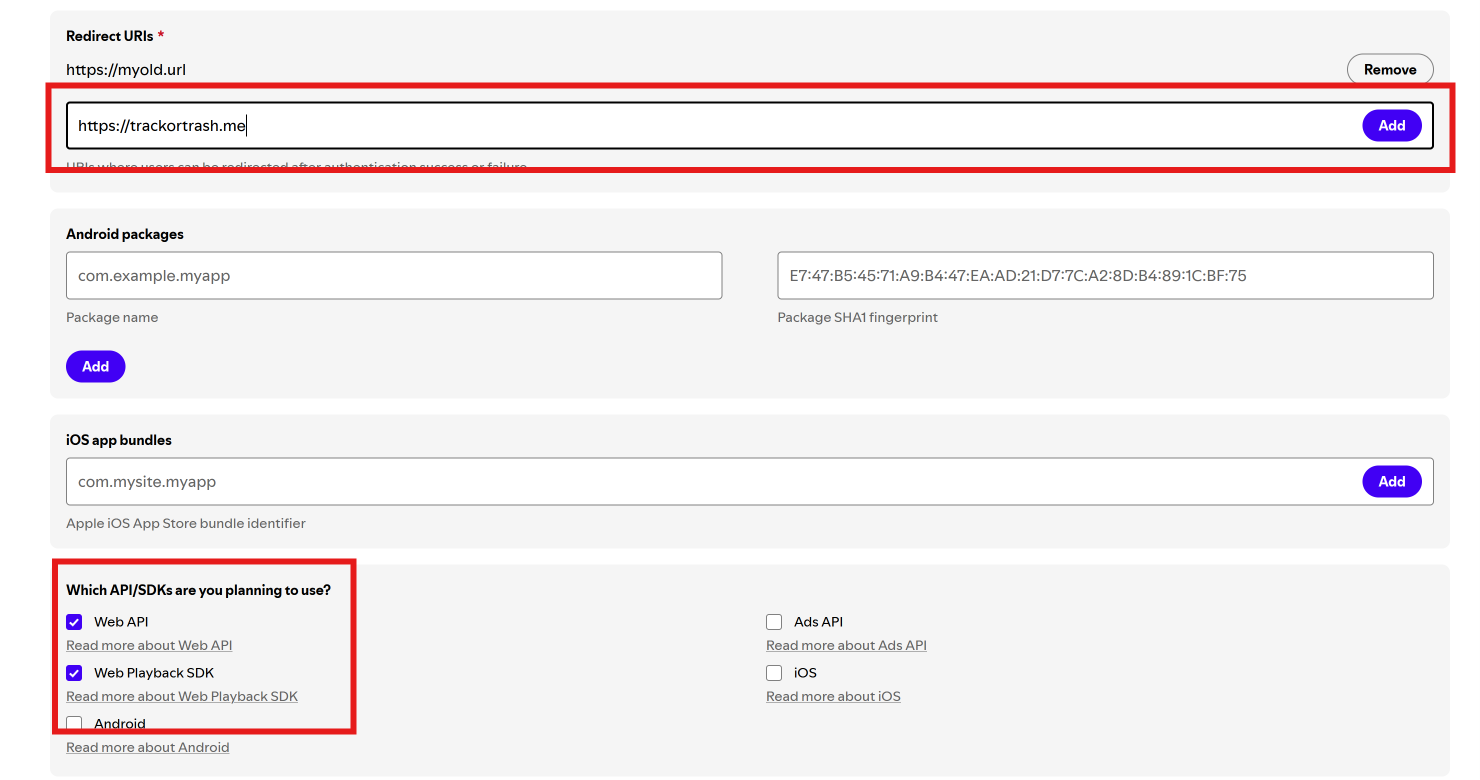
Remember to click 'save' at the bottom!
Your old data
Your current info can be kept! This way, you can use the application for multiple apps or websites.
Step 2 & 3: Copying credentials & signing in
Use the original guide for these steps - they are identical.