Logging in with Spotify
Let's get you signed in, so you can start sorting your playlists ASAP!
In this instruction, you will make your own application in Spotify's API system to use for sorting your songs.
Requirements
You need Spotify Premium to use Track or Trash!
Read the FAQ for more info.
Step 1: making your app
Go to the Spotify developer portal and click Create App.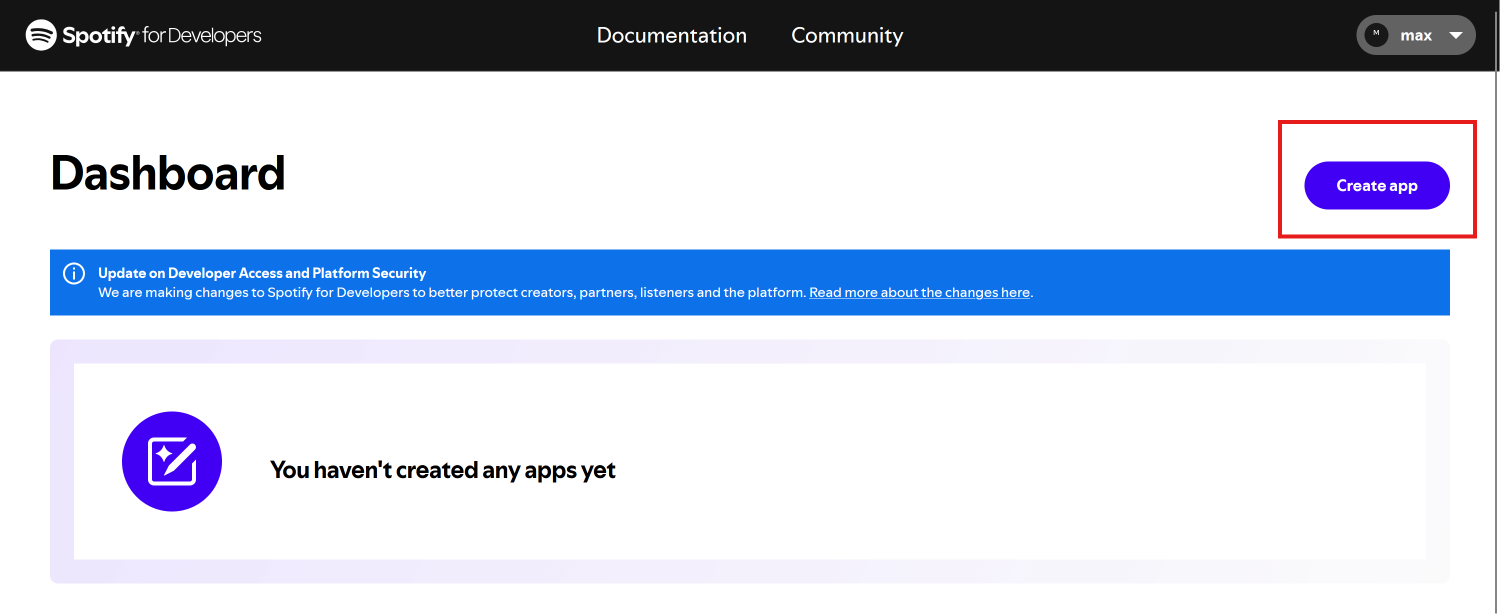
Already have an app?
Spotify only allows you to have one application at a time.
If you already have an application that cannot be deleted, view the tutorial for using editing an existing application here.
After making your app, fill in any name and description.
For the redirect URI, fill in exactly https://trackortrash.me
Select the web API and the web playback SDK below the redirect URI. Click save. 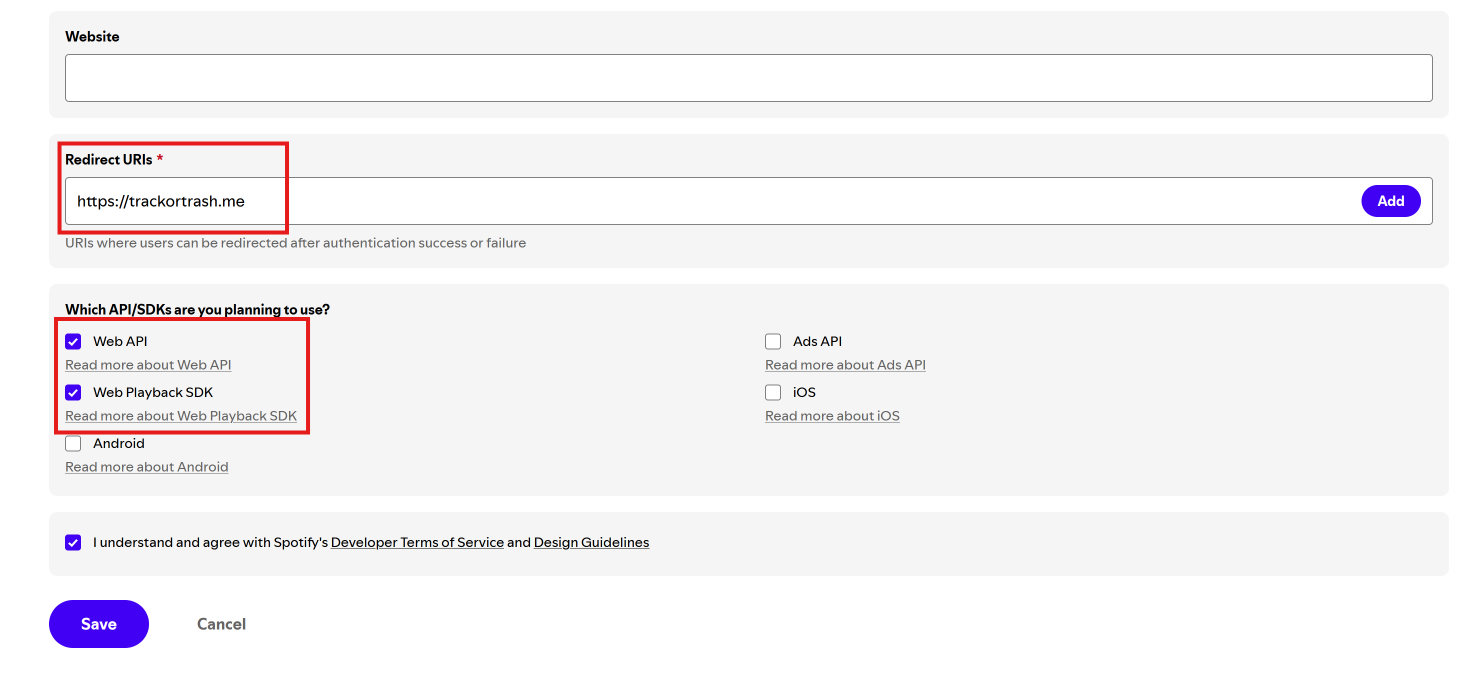
Redirect URI
Your redirect URI must be exactly https://trackortrash.me, or the app will not work!
Step 2: Getting your client credentials
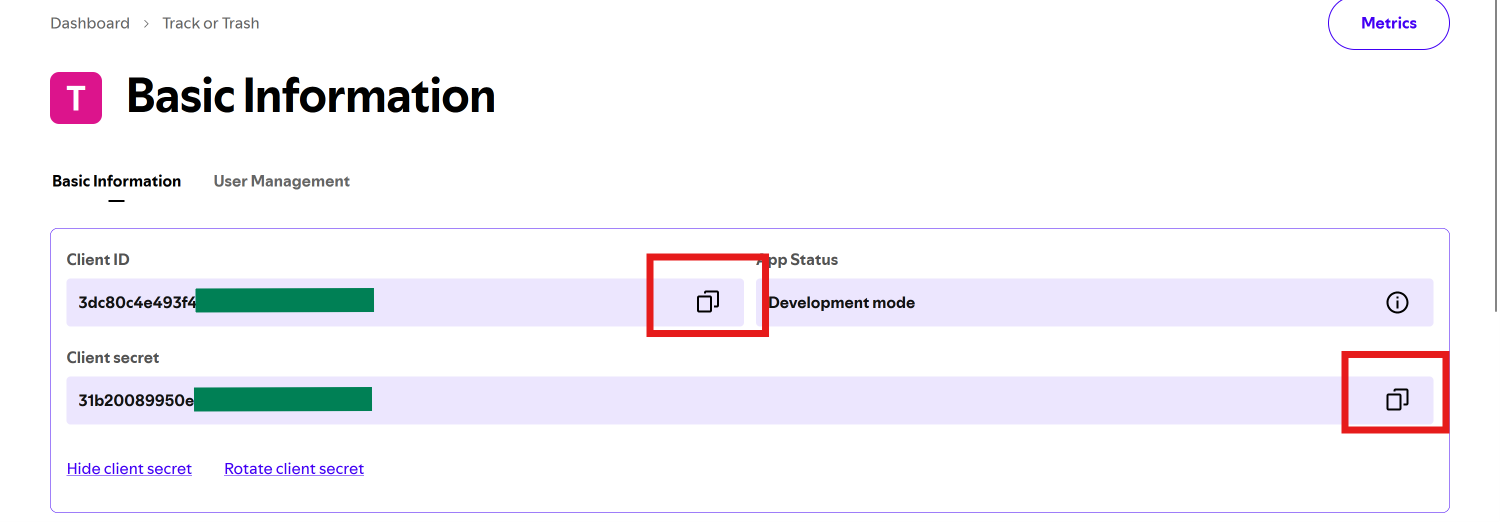
After making your app, you will see this screen below.
Copy your client ID and secret, you will use these for signing in to Track or Trash!
Client Credentials
Never share these credentials, especially not your secret, with anyone!
Step 3: Signing in to Track or Trash
After getting your credentials, go to track or trash and enter them in the correct field.
Then, press login and sign in to your Spotify account on the next page.
To log in easier next time, save the credentials as passwords in your browser! 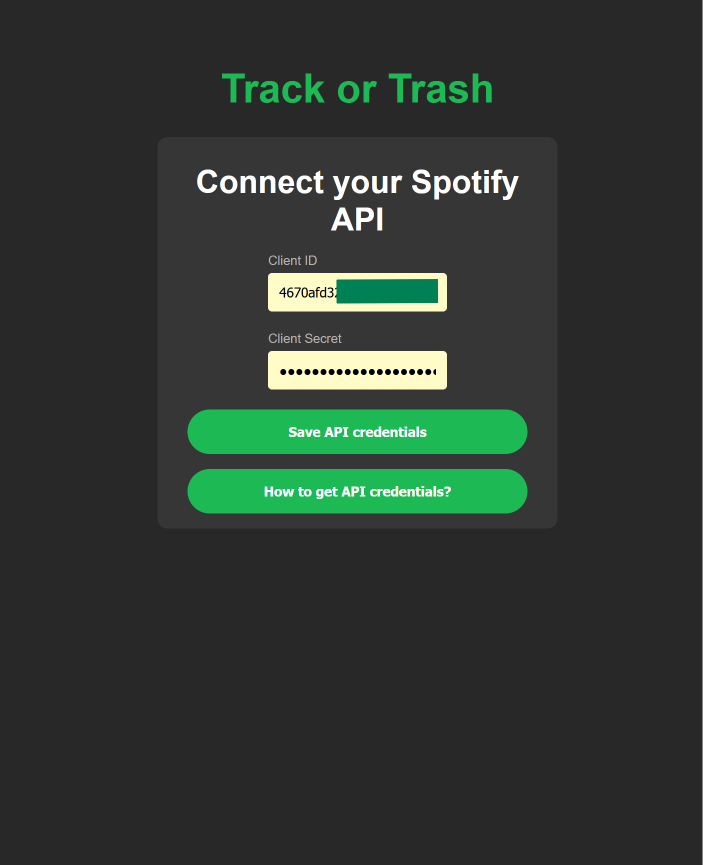
Errors when signing in
Check the FAQ for common errors when signing in, and how to fix them: FAQ
Congratulations, you've signed into Track or Trash succesfully! Have fun sorting.